
Keyboard Tester
Free Windows app that shows which keys work and how many keys your keyboard can hold at once — press, see it turn green, check for rollover.
What the app finds and shows
Full 104-key board
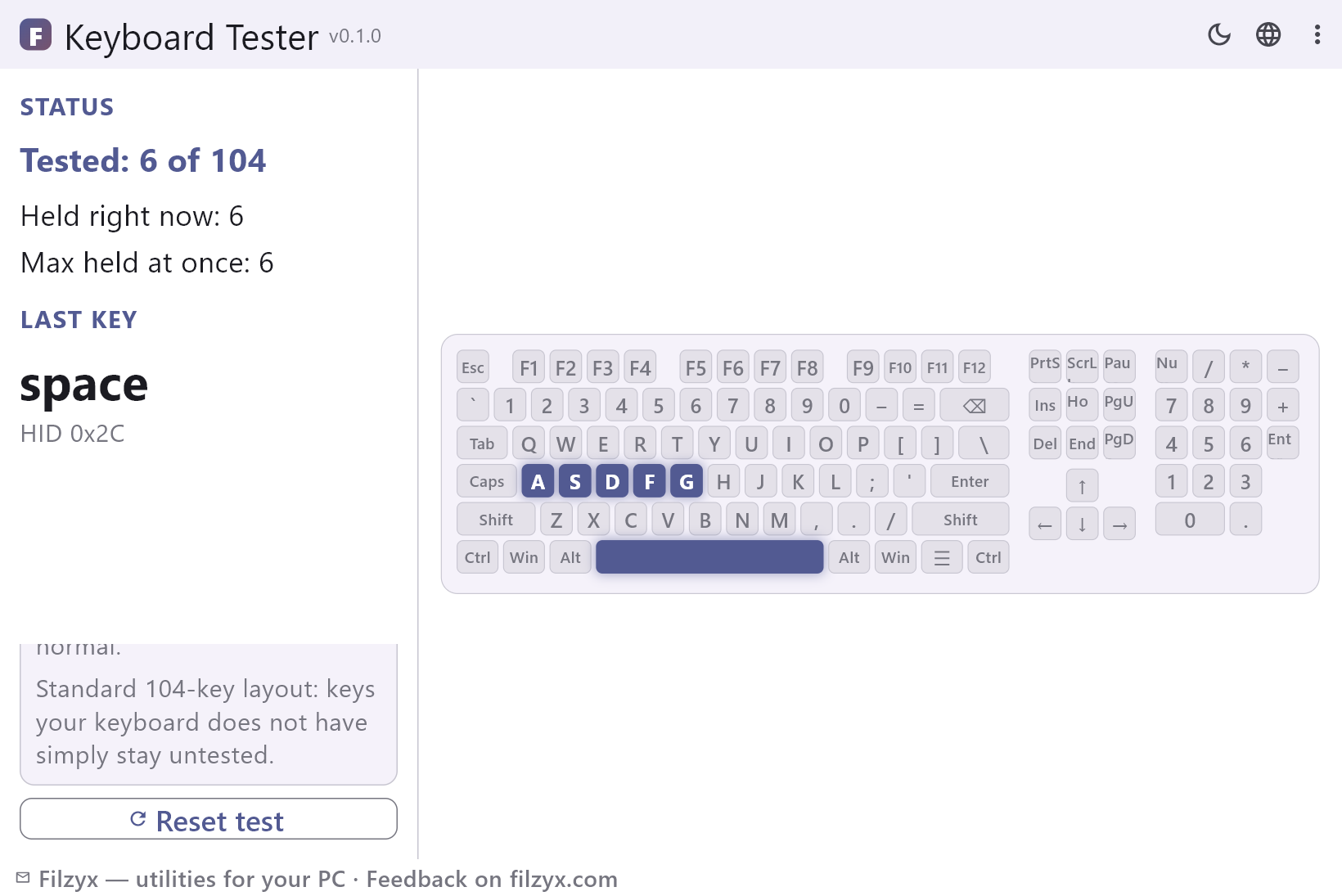
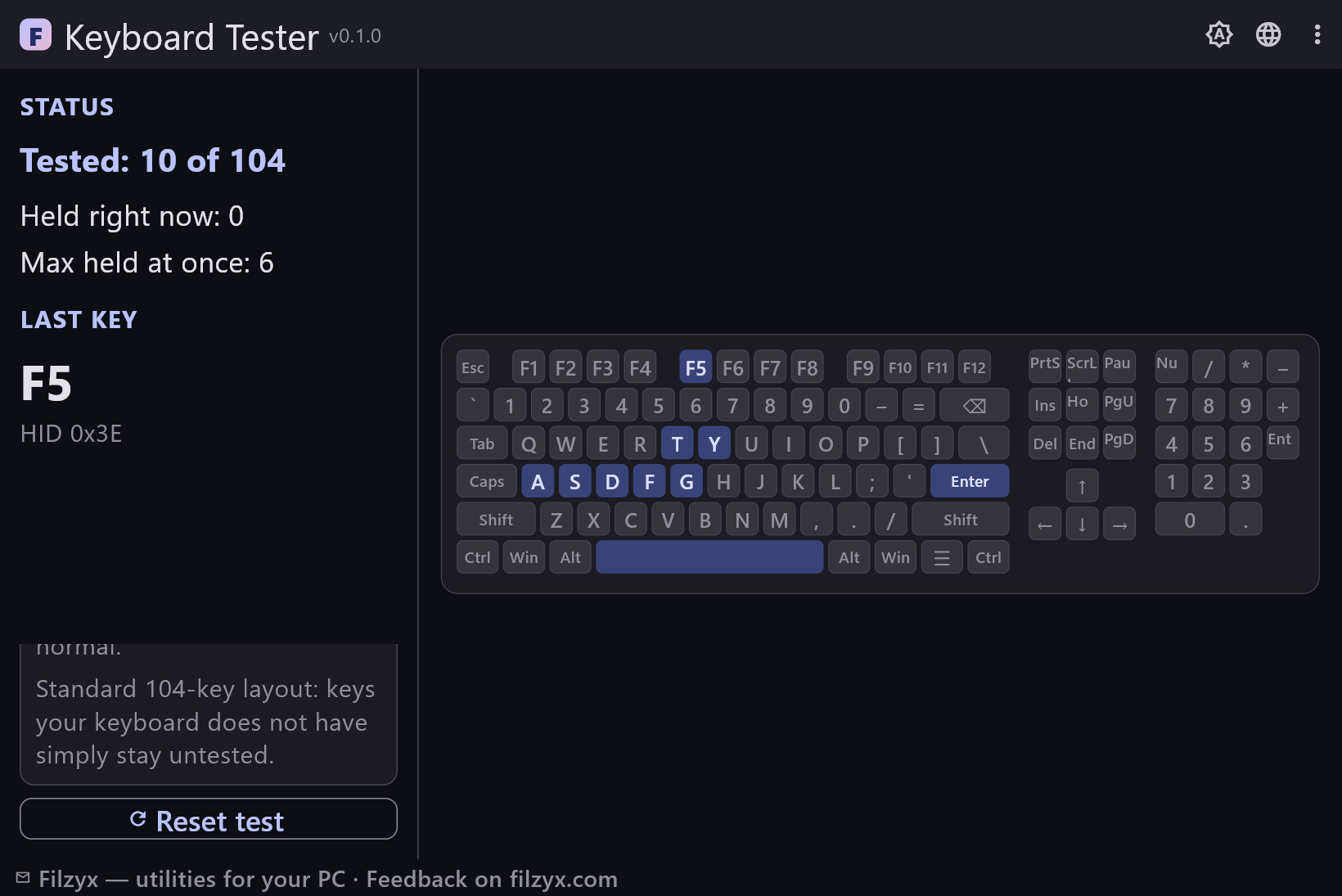
Main block, navigation cluster, arrows and numpad. Every key that answers turns green and stays marked until reset.
Settings: Click-to-focus with a hint bar
Rollover counter
Hold keys together and watch “held right now” and “max held at once” climb — the honest number for ghosting and gaming chords.
Settings: Reset button included
Last key + HID code
Shows the last key pressed and its USB HID usage code — proof for a warranty conversation or a key remap project.
Settings: USB HID based, layout independent
How to test a keyboard in 3 steps
- Press every key on your keyboard — the matching key on the on-screen board turns green.
- Hold several keys at once to check rollover: the panel shows the maximum number of keys seen together.
- Watch for keys that never turn green — those are dead or not registering.
Windows has no built-in key tester
When keys suddenly stop working, Windows offers exactly zero diagnostics: no panel lights up keys, no report says “this key never fires”. Bookmarks full of “online keyboard test” pages exist for a reason — but they need a browser, and some of them show ads between keystrokes. Worse, a browser test can swallow system shortcuts before you notice the Windows key is the one that is broken. A small offline app is the honest tool for the job: it shows the full 104-key board including the numpad, prints the last key's USB HID code for the doubters, and never sends a keystroke anywhere.
What people use it for
Before a warranty claim: a photo of the board with three red-flag keys that never light is a better argument than “it feels broken”. After a spill: run the board the next morning and check every key once — most spills kill one or two keys, not the whole row. When a game misbehaves: if strafing plus shooting plus crouch stops registering, that is classic ghosting — hold those exact keys on this board and watch the counter. Also handy for laptops: keys your model simply does not have stay untested, so you can see at a glance that nothing is actually broken. Students check second-hand keyboards before buying; everyone checks “that one key” they have been quietly avoiding for a month.
Keystrokes stay on your PC
A keyboard tester is one of the few apps that legitimately sees everything you type, so it matters where the wiring goes. This one listens to raw key events only while its window is focused and maps them to board positions — passphrases typed into other windows never pass through it. There is no typing history, no logging to disk, no network code at all: the app works with the Wi-Fi card unplugged. Paste something into the search-adjacent apps of the world and it might end up in analytics; here nothing is recorded beyond “this key fired”. A tester you can trust with a password manager unlocked next to it.
Features
- All 104 keys of the standard layout: main block, nav, arrows, numpad
- Working keys turn green and stay marked until reset
- Rollover check: how many keys register at the same time
- Last key shown with its USB HID code
- Focus-loss hint so keys never “vanish” silently
- Layout independent: matched by HID usage, not by letter
- No driver and no admin rights
- Fully offline — nothing is logged or sent
- Membrane, mechanical and laptop keyboards alike
- Handy before warranty claims and after spills
- Dark and light themes
- 16 interface languages, no ads, no telemetry
Screenshots
Guides
Step-by-step guides for Windows:
-
How to test a keyboard on Windows (dead keys, rollover) — free
Windows has no built-in keyboard tester. Check every key in a browser — or use a free offline app that lights up dead keys and measures how many keys register at once.
FAQ
- Is Keyboard Tester free?
- Yes — free to download and use on Windows 10/11 (x64), with no ads, no accounts and no telemetry.
- What does “rollover” mean and why does the counter matter?
- Rollover is how many keys a keyboard can report at the same moment. Office membranes often stop at 3–6 keys — after that, extra presses are silently dropped (ghosting). Holding keys on the board and watching “max held at once” tells you the real hardware limit, which matters in games and for fast typing chords.
- My keyboard has fewer keys than the board shows.
- The board is a standard 104-key layout. Keys your laptop or compact keyboard does not physically have simply stay gray — that is expected, not a defect.
- Why does the Windows key open the Start menu during the test?
- That is Windows itself: the OS reacts to the Win key before any app sees it. Pressing it once is a perfectly valid test — the board still marks it green.
- Does it test the mouse too?
- No — keyboards only. For click counting and double-click speed there is a sibling app, Mouse Click Test.
- Keys stopped registering mid-session. What happened?
- The window likely lost focus (e.g. you clicked another app). A hint bar appears in that case — click the board once to give it focus back, and pressed keys are cleared automatically.