

QR Code Generator
Free Windows app that makes QR codes for links, Wi-Fi networks and e-mail — with a live preview and crisp PNG export, fully offline.
What the app finds and shows
Text, Wi-Fi and e-mail
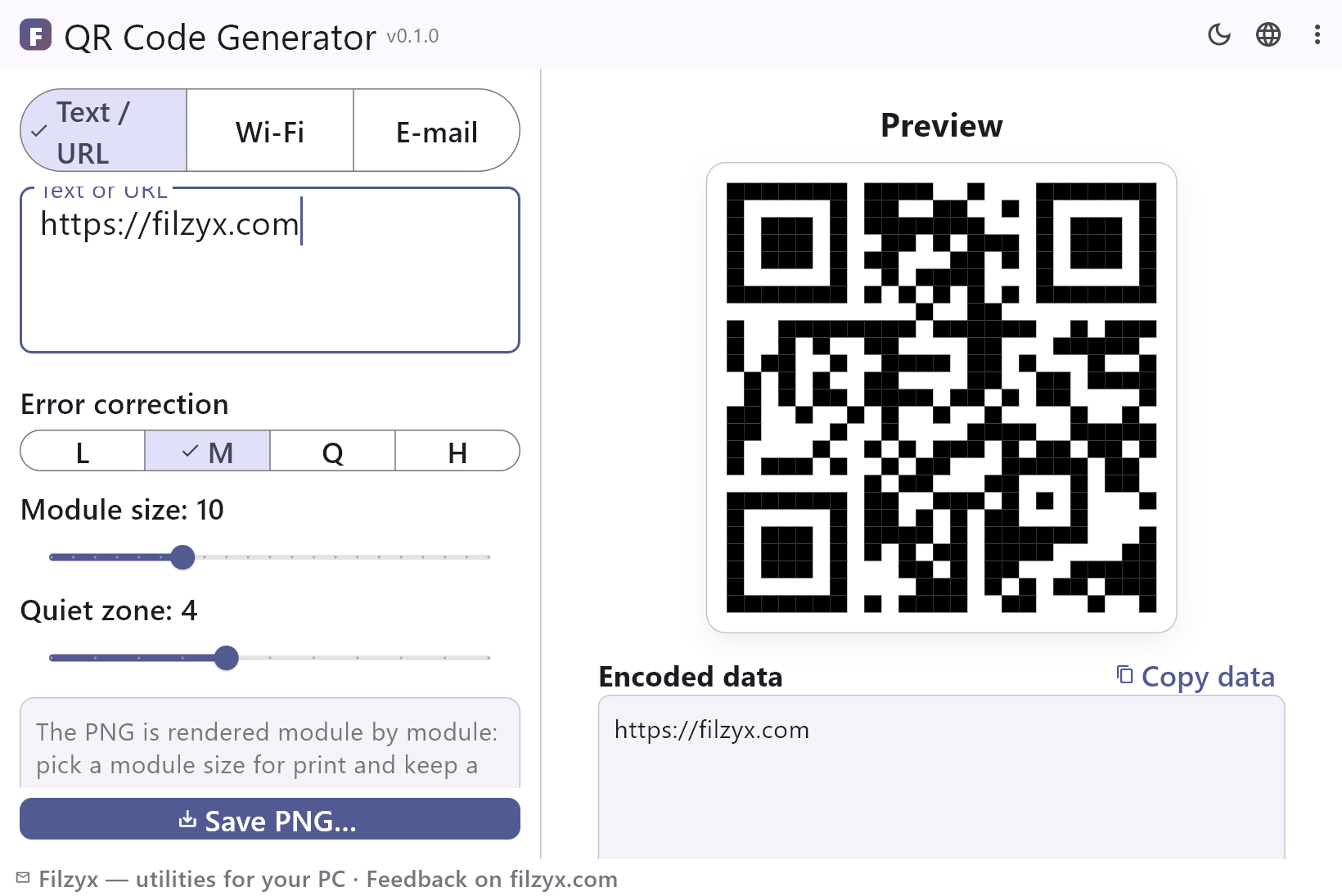
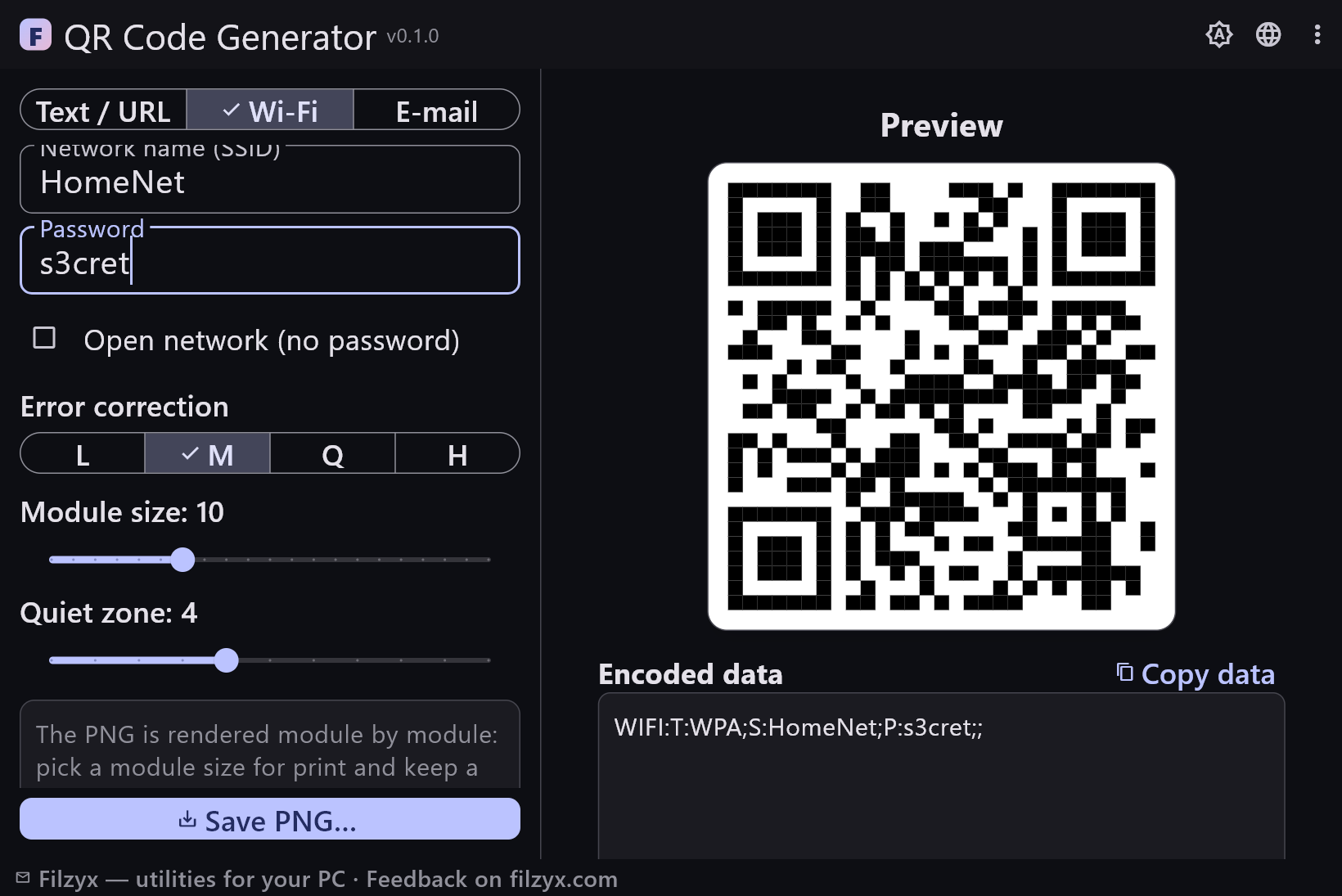
Three encoders with live preview: URLs for print, WIFI codes that phones join natively, and mailto codes with subject and body pre-filled.
Settings: Segmented type switch
Error correction L/M/Q/H
Pick the redundancy level for your use: L for the most data, H for codes printed small, worn or partly covered.
Settings: Segmented L/M/Q/H
Print-grade PNG export
Module size 4–24 px and a quiet zone 0–10 modules; the PNG is rendered module by module, so print quality depends only on your settings.
Settings: Two sliders + Save PNG
How to create a QR code in 3 steps
- Pick the type — text or URL, a Wi-Fi network, or a ready-to-send e-mail — and fill in the fields.
- Watch the live preview; tune error correction (L/M/Q/H) and the module size for your use.
- Press “Save PNG…” — the image is rendered on your PC, ready for print or a business card.
QR codes without yet another website
Search “QR code generator” and you get pages that generate codes server-side: your link (or Wi-Fi password) leaves your computer, free tiers add expiration dates, watermarks or account walls, and printing quality depends on whatever resolution the site decides to give. Windows itself ships nothing for making QR codes. This app does the whole job locally: the payload is generated with an offline encoder, the preview is immediate, and the PNG is a clean black-and-white render at exactly the module size you choose — sharp in print at any physical size.
The three codes people actually make
Wi-Fi codes are the killer use: guests point a phone at your printed code and join the network without typing a 20-character password — the payload format is the standard “WIFI:” scheme phones understand natively. Link codes go on posters, presentations and product labels: paste a URL, export, print. E-mail codes open the mail app with your address, subject and message pre-filled — handy on business cards and in shops. The preview shows the encoded payload as text too, so you can copy it back out and verify what will happen before anything is printed.
Your Wi-Fi password stays in your QR code
Type a Wi-Fi password into a website and it travels to a server, sits in a log, and comes back as an image — an ugly trade for convenience. Here nothing leaves the machine: the code is built from a pure-Dart encoder, the PNG is rendered locally, and the app works with the internet cable unplugged. A quiet note of honesty: a Wi-Fi QR code contains the password in readable form — anyone who can scan it can join. Print it for the guest room, not for the window at the street side.
Features
- QR codes for text/URL, Wi-Fi networks and e-mail
- Live preview while you type — no “generate” round-trip
- Encoded payload shown as text and copyable for verification
- Error correction levels L, M, Q and H
- Module size slider 4–24 px for print-quality output
- Quiet zone slider (keep 4+ modules for reliable scans)
- Honest “too much data” message instead of an unscannable code
- PNG rendered locally — no uploads, no watermark, no account
- Dry-run friendly: works fully offline
- Wi-Fi payload uses the standard WIFI: scheme phones understand
- Settings remembered between runs
- 16 interface languages, no ads, no telemetry
Screenshots
Guides
Step-by-step guides for Windows:
-
How to make a QR code on Windows (free, without sites)
Create QR codes for links, Wi-Fi networks and e-mail on Windows 10/11 — with a free offline generator, crisp PNG export and no uploads to a website.
FAQ
- Is QR Code Generator free?
- Yes — free to download and use on Windows 10/11 (x64), with no ads, no accounts, no watermarks and no telemetry.
- Which QR types are supported?
- Text and URLs, Wi-Fi network join codes (open or WPA/WPA2/WPA3 passwords) and e-mail codes with a pre-filled recipient, subject and message body.
- How do I print a QR code that scans reliably?
- Use a module size of at least 8 pixels, keep the quiet zone at 4 modules or more, and print black on white. For small stickers choose error correction Q or H.
- What does error correction mean?
- Higher levels (Q, H) add redundancy so the code still scans when part of it is smudged, curved on a bottle, or covered by a small logo. The cost: fewer characters fit into the same square.
- Does the app upload anything?
- No — the code is generated and rendered entirely on your PC, fully offline. Nothing is tracked and nothing is watermarked.
- Is a Wi-Fi QR code safe to print?
- It contains the network password in plain form: anyone who scans it joins the network. Treat the printed code like the password itself — guest room yes, staircase no.