

EXIF Remover
Free Windows app that strips EXIF, XMP, IPTC, comments and text chunks from photos — losslessly, without re-compressing a single pixel, and without uploading anything.
What the app finds and shows
Lossless metadata strip
EXIF, XMP, IPTC, comments and PNG text chunks are removed on the file-structure level — pixels are copied byte-for-byte, quality never changes.
Settings: JPEG and PNG
Clean copies or in-place
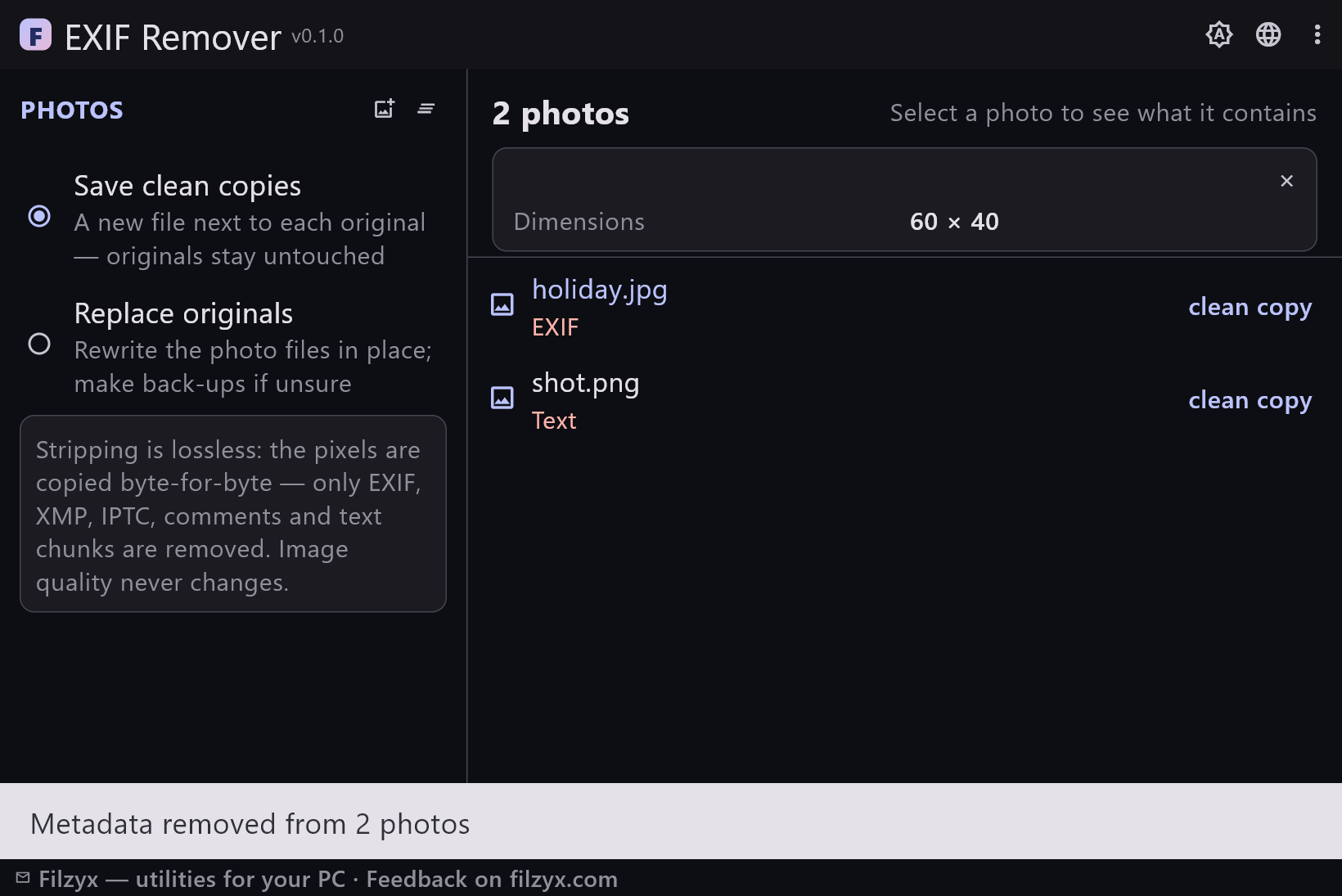
Default: a “name_clean.jpg” appears next to each original, originals untouched. A switch enables replacing files in place for batch workflows.
Settings: One radio button
Badges and details
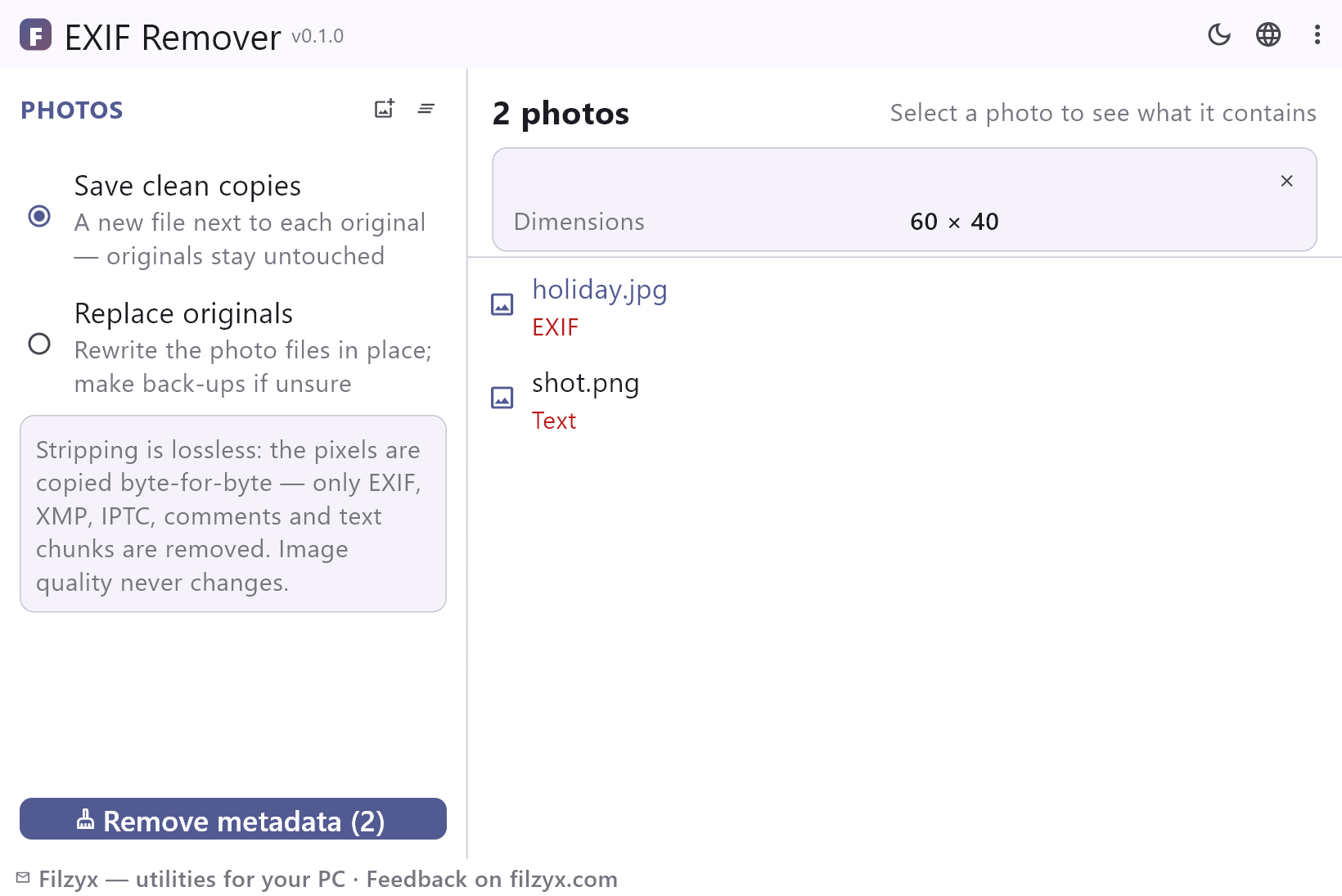
Each photo shows exactly what it carries (EXIF/XMP/IPTC/COM/Text/GPS); the details card shows camera, capture date and dimensions, with a red warning when GPS is present.
Settings: GPS warning built in
How to remove EXIF data from photos in 3 steps
- Add the photos — the list shows what each file carries: EXIF, XMP, IPTC, GPS, comments or text chunks.
- Select a photo to inspect the details: camera, capture date, dimensions and a GPS warning.
- Press “Remove metadata” — clean copies appear next to the originals; nothing is re-compressed, nothing is uploaded.
What a photo says behind your back
A photo from a phone carries more than a picture: the exact camera model, the original capture date, and — if location services were on — the GPS coordinates of where you stood, accurate to a few metres. Post a picture of an item for sale taken at home, and the listing can contain your address. Share “grandma's birthday” and the timestamps are there too. Windows can remove this per file, buried in Properties → Details, and online “EXIF removers” usually mean uploading your photos to someone's server — the opposite of privacy. EXIF Remover does the whole job locally, in bulk, and shows you first exactly what is being removed.
Lossless: the pixels are never re-encoded
Most simple tools “remove metadata” by loading the image and saving it again — a full re-compression that softens fine detail and can even make the file bigger. EXIF Remover works at the file structure level instead: it walks the JPEG's segment table or the PNG's chunk list, drops the containers that hold metadata, and copies the actual image data byte-for-byte. The result is the same quality you started with — objectively identical pixels — in a smaller file. ICC colour profiles and JFIF headers are kept on purpose: removing those would change how the photo looks.
JPEG and PNG, with badges telling the truth
Every added photo gets badges for what it contains: EXIF, XMP, IPTC, comments, text chunks, GPS. A file with nothing to clean is marked “no metadata” instead of being rewritten pointlessly. Select a photo to see camera, capture date and dimensions, plus a red warning if GPS coordinates are inside. By default the app writes “file_clean.jpg” next to each original — your originals are never touched — and a switch enables in-place replacement. Everything happens on your machine: no uploading, no accounts, no telemetry.
Features
- Strips EXIF and XMP (APP1), IPTC (APP13) and comments from JPEG
- Removes tEXt/iTXt/zTXt/eXIf chunks from PNG
- Lossless: image data copied byte-for-byte, no re-compression
- Badges show EXIF/XMP/IPTC/COM/Text/GPS per photo
- Photo details: camera, capture date, dimensions
- Red warning when GPS coordinates are present
- Clean copies by default — originals always untouched
- Batch processing: dozens of photos in one press
- “No metadata” files are detected and skipped, not rewritten
- ICC colour profiles and JFIF headers are preserved on purpose
- Fully offline: nothing is uploaded, no accounts
- 16 interface languages, no ads, no telemetry
Screenshots
Guides
Step-by-step guides for Windows:
-
How to remove EXIF data from photos on Windows (free, lossless)
Strip GPS location, camera model, dates and other EXIF/XMP metadata from JPEG and PNG photos on Windows — with the built-in Properties trick or a free batch tool that never re-compresses the image.
FAQ
- Is EXIF Remover free?
- Yes — free to download and use on Windows 10/11 (x64), with no ads, no accounts and no telemetry.
- Does it reduce image quality?
- No. The image data is copied byte-for-byte, without re-compression; only the metadata containers are removed. Technically the pixels stay bit-identical.
- What exactly is removed?
- JPEG: EXIF and XMP (APP1 segments), IPTC (APP13) and user comments. PNG: tEXt, iTXt, zTXt and eXIf chunks. JFIF headers and ICC colour profiles are intentionally kept — they affect how the picture displays.
- Are my originals safe?
- In the default “Save clean copies” mode, yes — originals are not modified at all. “Replace originals” mode rewrites files in place for people who prefer it.
- Does it work with HEIC or RAW?
- Currently JPEG and PNG only — those two carry almost all photo metadata in practice. Unsupported files are skipped and marked honestly instead of being mangled.
- Does it upload anything?
- No. The app is fully offline: metadata is analysed and stripped locally, and nothing leaves your computer.